Mbuddy
Command line two way serial data interface
What is Mbuddy?
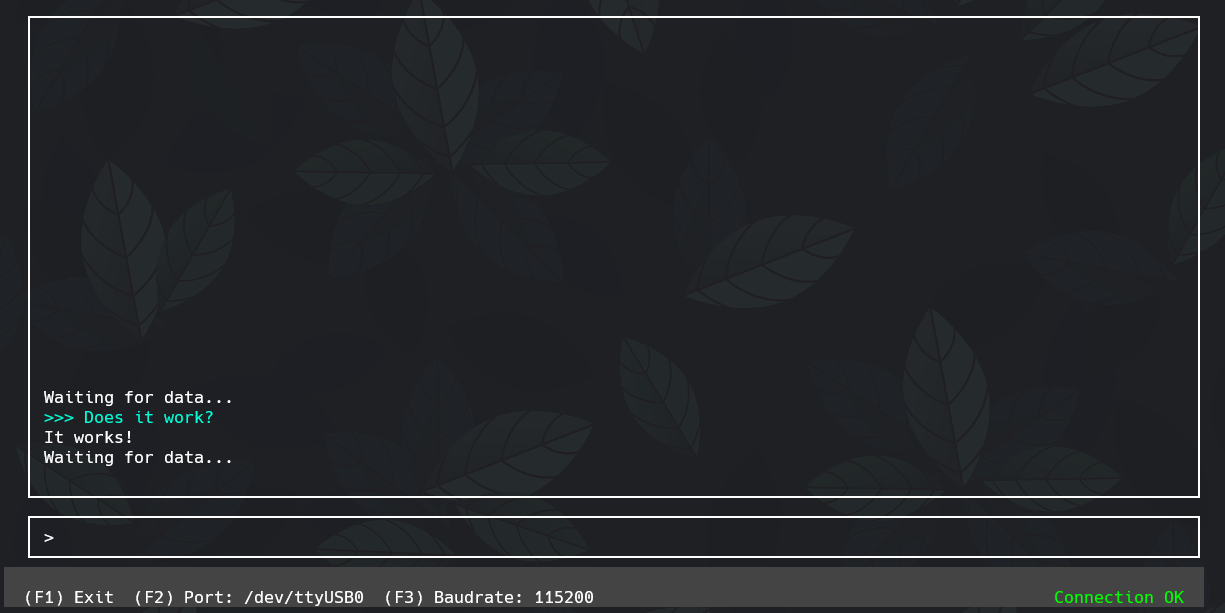
Mbuddy is a command-line serial monitor that I wrote to better communicate with my embedded systems projects. While there are certainly plenty of programs to monitor serial port data, there weren’t as many programs available to send data to the serial port. To complicate things further, I found myself increasingly utilizing the command-line and WSL for my programming. I wanted a solution that I could use from the command line easily without switching between several programs during development. Thus, mbuddy was born. I used the ncurses library to create a TUI (text user interface) that would allow me to easily change serial ports or baud rates without exiting the program.
Since I have the most experience writing code in C, it was a natural choice to use for this project as well. Luckily, linux distros provide ample documentation for development. Unluckily, the ncurses library started eons ago, which means that it has several quirks as remnants of it’s long history. After a couple of weeks, I had v1.0 up and running, which is what you see here.
Right now mbuddy only runs natively on linux, but I have some lofty plans to port it to Windows in the future. It’s pretty low priority as I work on my other projects, but I see it as a nice challenge.
If you’d like to check out the source code, just look on my github!